Components / Website
Page Header
Three interior page header patterns inspired by Mode's comparisons and customers pages: adapted to Instant Strata brand tokens. Pair the featured header with the Story Grid for the story index below it.
Split header
Dark forest background with copy and CTA on the left, and a faded competitor grid with a centred brand mark on the right: matching the Mode comparisons hero layout.
Platform comparison
How Instant Strata compares
The search for modern strata management software that prioritises speed, flexibility and transparency is hard. See how Instant Strata stacks up against legacy tools and fragmented workflows.
Editorial header
Off-white background with a tall photo on the right and headline plus body copy anchored bottom-left: matching the Mode customers page layout.

Trusted by modern buildings
When every owner and committee pulls from the same trustworthy records, you can be confident better decisions are on the way.
Trusted by modern buildings
When every owner and committee pulls from the same trustworthy records, you can be confident better decisions are on the way.
Featured header
White background with a portrait photo and logo badge on the left, eyebrow, title, body and CTA on the right: matching Mode's featured customer spotlight below the logo strip.
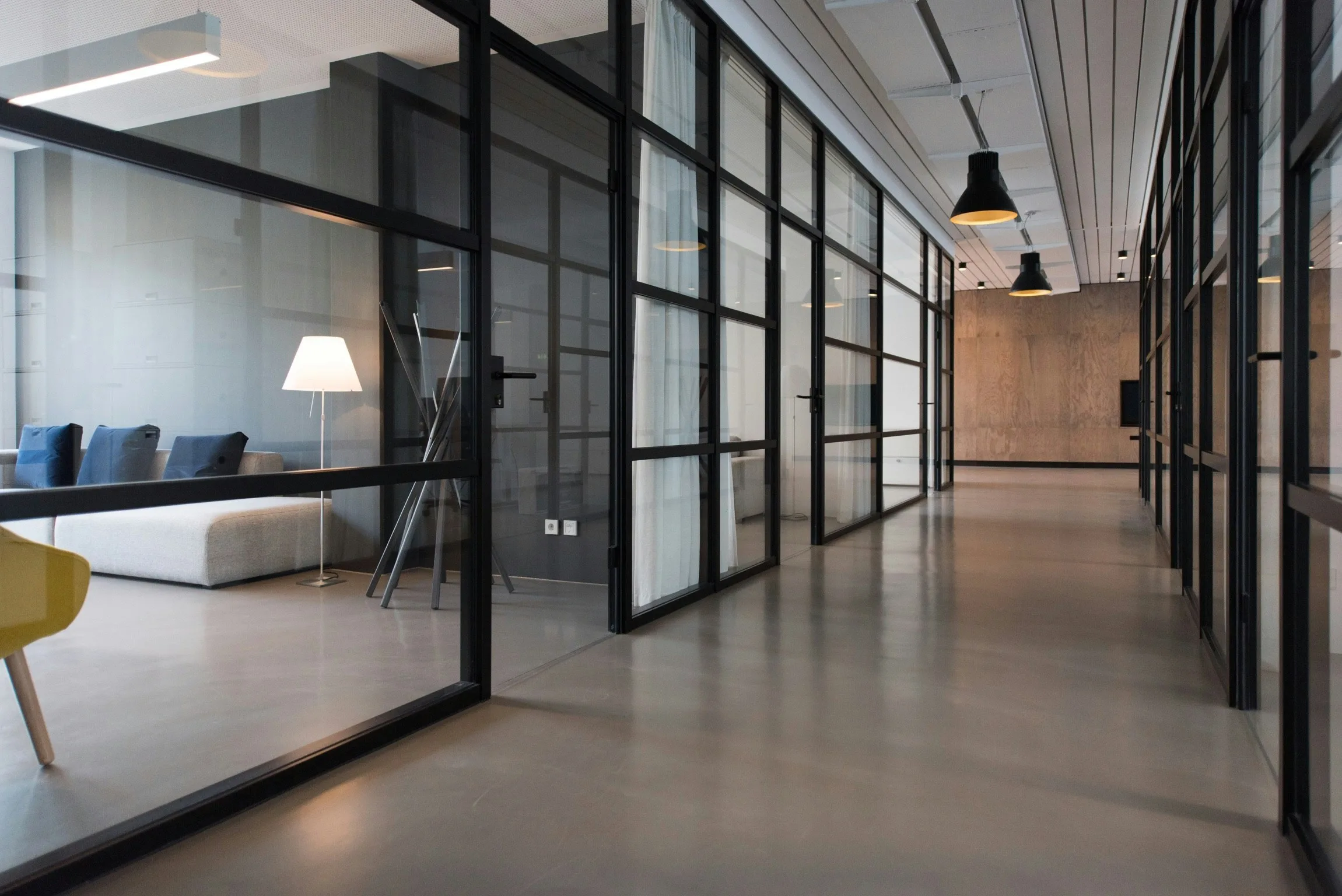
Featured customer
The strata team at Harbourview delivers data from the centre
How Harbourview Towers drives impact with their management team at the centre of every building decision.
Installation
npx shadcn add https://raw.githubusercontent.com/levi-putna/elements/main/registry/page-header/registry.jsonSplit usage
import {
  PageHeaderSplit,
  PageHeaderAction,
} from "@/components/ui/page-header"

export function ComparisonsPage() {
  return (
    <PageHeaderSplit
      eyebrow="Platform comparison"
      title="How Instant Strata compares"
      description="The search for modern strata management software that prioritises speed, flexibility and transparency is hard. See how Instant Strata stacks up against legacy tools and fragmented workflows."
      actions={
        <PageHeaderAction href="/demo" onDark>
          Request demo
        </PageHeaderAction>
      }
    />
  )
}
Editorial usage
import {
  PageHeaderEditorial,
  PageHeaderEditorialImage,
  PageHeaderAction,
} from "@/components/ui/page-header"

export function CustomersPage() {
  return (
    <PageHeaderEditorial
      title="Trusted by modern buildings"
      description="When every owner and committee pulls from the same trustworthy records, you can be confident better decisions are on the way."
      actions={
        <PageHeaderAction href="/demo">Request demo</PageHeaderAction>
      }
      visual={
        <PageHeaderEditorialImage
          src="/img/people/2.webp"
          alt="Strata managers collaborating in a bright office"
        />
      }
    />
  )
}
Featured usage
import {
  PageHeaderFeatured,
  PageHeaderFeaturedImage,
  PageHeaderAction,
} from "@/components/ui/page-header"

export function FeaturedStory() {
  return (
    <PageHeaderFeatured
      title="The strata team at Harbourview delivers data from the centre"
      description="How Harbourview Towers drives impact with their management team at the centre of every building decision."
      actions={
        <PageHeaderAction href="/stories/harbourview">Read story</PageHeaderAction>
      }
      visual={
        <PageHeaderFeaturedImage
          src="/img/people/3.webp"
          alt="Harbourview strata manager on site"
          logo={<span className="text-sm font-semibold text-forest">Harbourview</span>}
        />
      }
    />
  )
}
PageHeaderSplit props
| Prop | Type | Default | Description |
|---|---|---|---|
| eyebrow | string | - | Small caps label above the headline: rendered in lime on the dark background. |
| title | string | - | Primary page title in Young Serif. |
| description | string | - | Supporting paragraph beneath the title. |
| actions | ReactNode | - | Call-to-action buttons. Use PageHeaderAction with onDark for the split variant. |
| visual | ReactNode | - | Right-hand visual slot. Defaults to PageHeaderSplitVisual. |
| className | string | - | Additional classes on the outer header element. |
PageHeaderEditorial props
| Prop | Type | Default | Description |
|---|---|---|---|
| title | string | - | Primary page title in Young Serif. |
| description | string | - | Supporting paragraph beneath the title. |
| actions | ReactNode | - | Optional calls-to-action below the copy. |
| visual | ReactNode | - | Right-hand photo slot. Use PageHeaderEditorialImage. |
| className | string | - | Additional classes on the outer header element. |
PageHeaderSplitVisual props
| Prop | Type | Default | Description |
|---|---|---|---|
| items | string[] | - | Faded labels arranged around the centre brand mark. Eight items fill the outer grid cells. |
| brand | string | "IS" | Centre brand mark text. |
| className | string | - | Additional classes on the visual wrapper. |
PageHeaderEditorialImage props
| Prop | Type | Default | Description |
|---|---|---|---|
| src | string | - | Image source URL. |
| alt | string | - | Accessible alt text for the photo. |
| className | string | - | Classes on the rounded wrapper div. |
| imgClassName | string | - | Classes on the inner img element. |
PageHeaderFeatured props
| Prop | Type | Default | Description |
|---|---|---|---|
| eyebrow | string | "Featured customer" | Small caps label above the headline. |
| title | string | - | Spotlight headline in Young Serif. |
| description | string | - | Supporting paragraph beneath the title. |
| actions | ReactNode | - | Call-to-action buttons below the copy. |
| visual | ReactNode | - | Left-hand photo slot. Use PageHeaderFeaturedImage. |
| className | string | - | Additional classes on the outer header element. |
PageHeaderFeaturedImage props
| Prop | Type | Default | Description |
|---|---|---|---|
| src | string | - | Image source URL. |
| alt | string | - | Accessible alt text for the photo. |
| logo | ReactNode | - | Logo or mark rendered in the top-right corner. |
| className | string | - | Classes on the portrait wrapper. |
| imgClassName | string | - | Classes on the inner img element. |
PageHeaderAction props
| Prop | Type | Default | Description |
|---|---|---|---|
| href | string | - | Link destination. |
| variant | "primary" | "outline" | "primary" | Filled or bordered button style. |
| onDark | boolean | false | When true, uses off-white fill on dark headers (split variant). |
| className | string | - | Additional classes on the anchor. |